
07
Aug
The EOL Manager software needs an active license to run on your computer. You can get and/or renew your software license directly from your online user account.
If you do not already have a license, go to “Request Account” and fill out the form. Our support team will then upload your first software license to your user account. Once our support team have uploaded your license you will receive an automatic email notification.
When your license is about to expire, just click the “Renew License” button under “Software Licenses” from your user account.
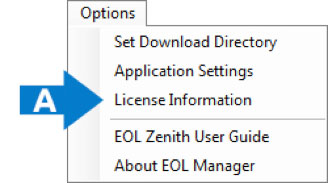
Go to EOL Manager > Options > License Information and insert your software license. (See A)